Table Of Contents
You can now install ArtPlacer as an app on your device, so you can open it with a single tap, just like any other app, with its own icon and no browser bar in the way. It even opens directly to your dashboard, saving you a few clicks every time you log in.
This article walks you through how to install it on both mobile and desktop, using either Safari or Chrome.
What You'll Need
- A device connected to the internet (phone, tablet, or computer)
- A supported browser: SAFARI (on iPhone, iPad, or Mac) or CHROME (on Android, Windows, Mac...)
- Your ArtPlacer account
⚠️Tip: When logging in, make sure to check KEEP ME LOGGED IN so the app doesn't ask you to sign in every time you open it.
Install ArtPlacer with Safari
On IPhone or IPad:
- Open Safari and go to app.artplacer.com.
- Click the SHARE button in the toolbar.
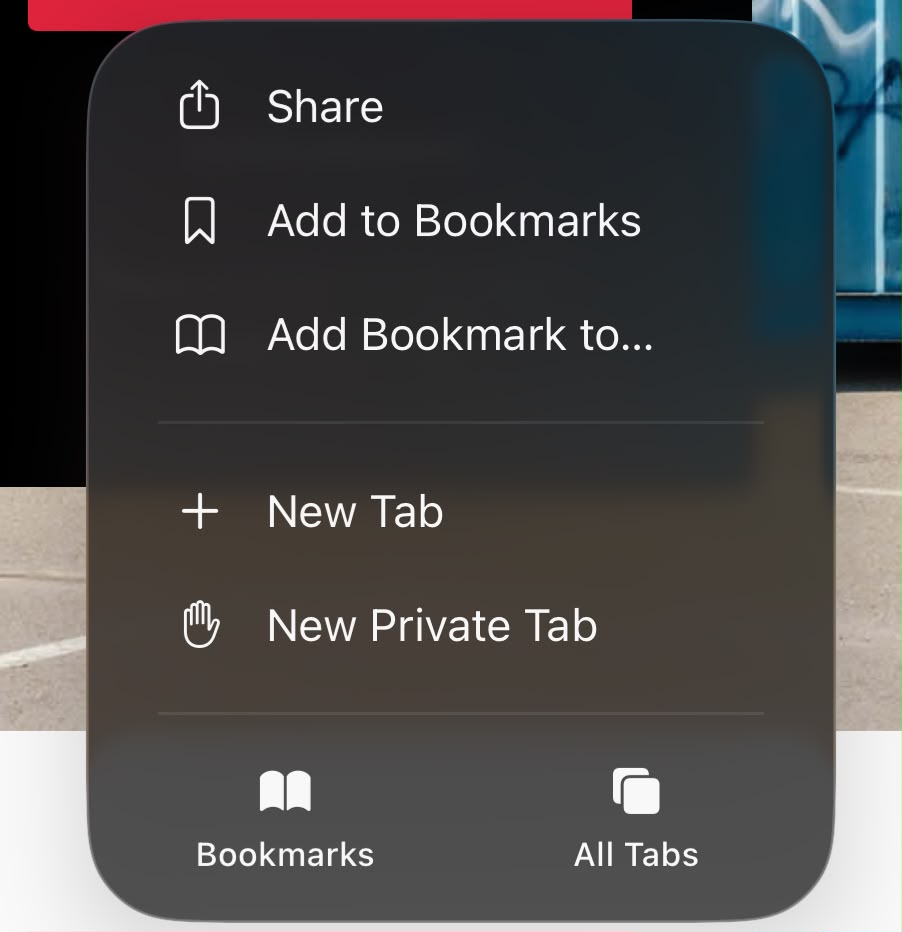
- Tap VIEW MORE to see all available options.
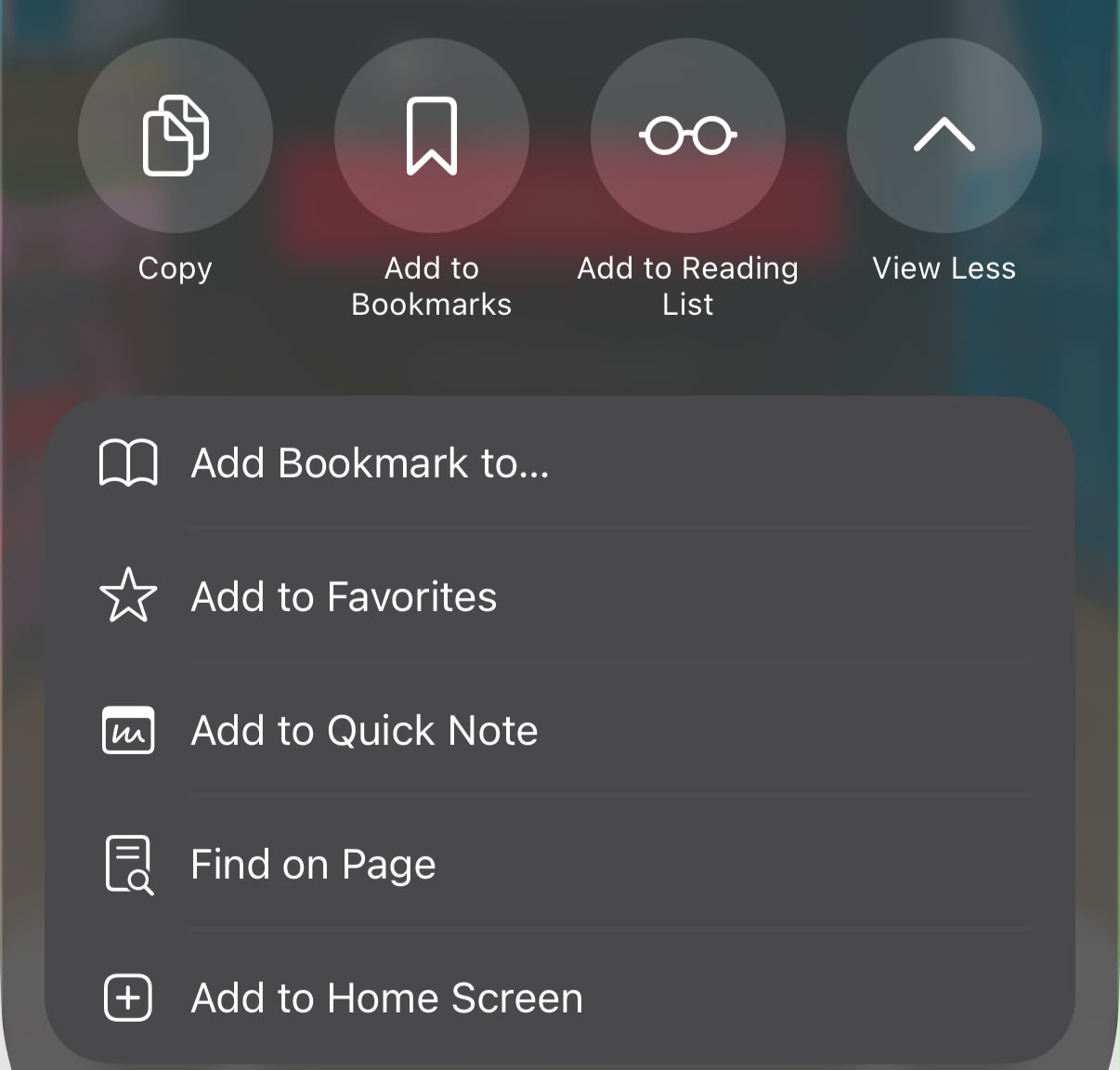
- Scroll down and tap ADD TO HOME SCREEN
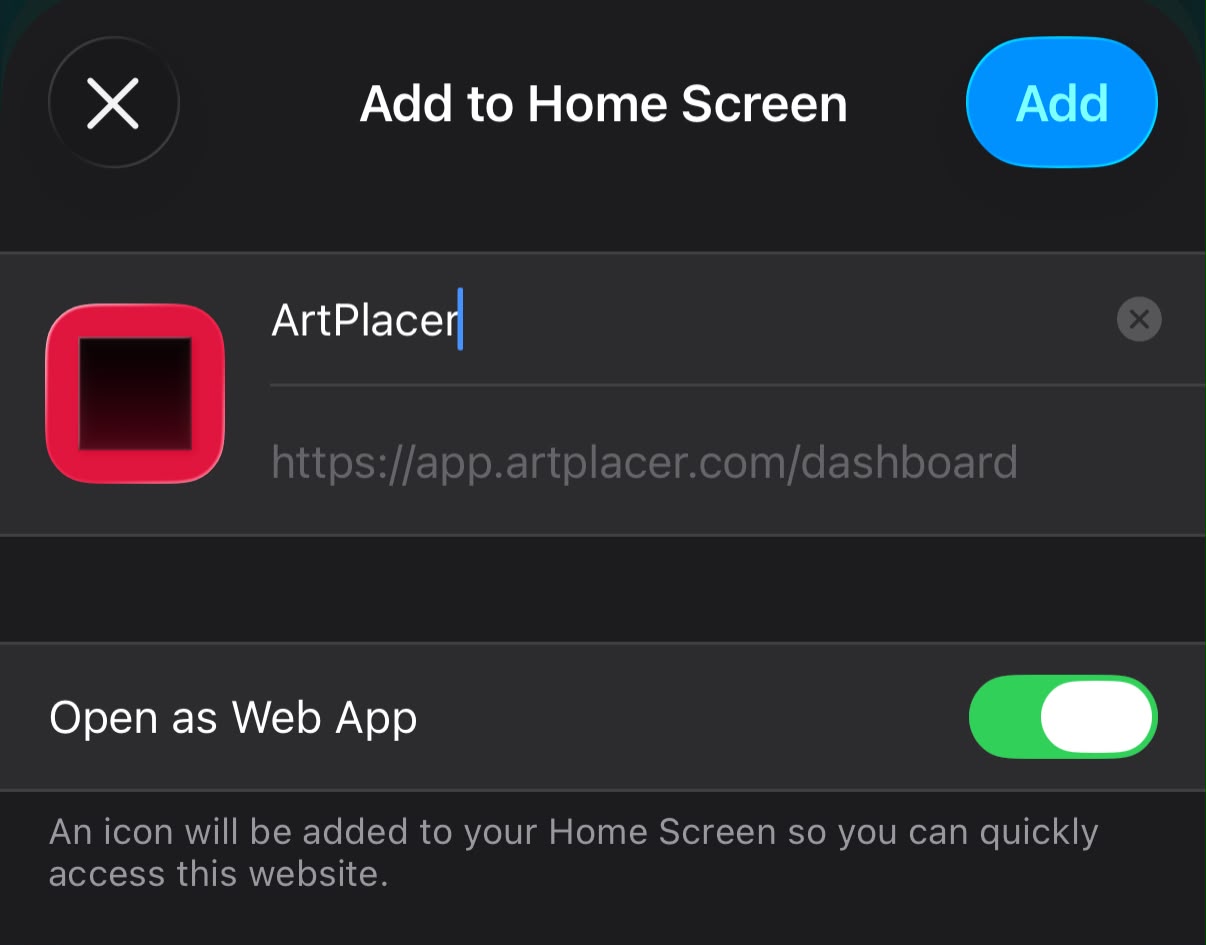
- A window will pop up on your screen with the app details. Tap ADD in the top-right corner. ArtPlacer will now appear in your Home Screen and open in its own window, no browser tabs, no address bar.
On Mac:
- Open Safari and go to app.artplacer.com.
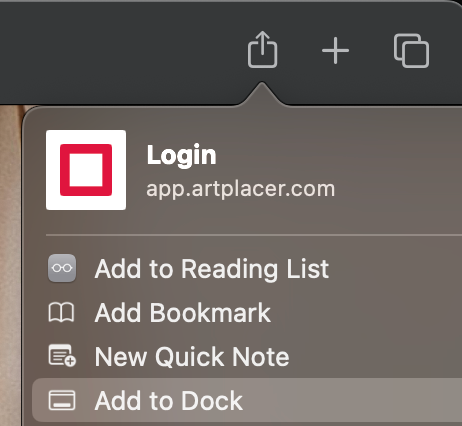
- Click the SHARE button in the toolbar.
- Click ADD TO DOCK.
- A window will pop up on your screen with the app details. Click ADD.
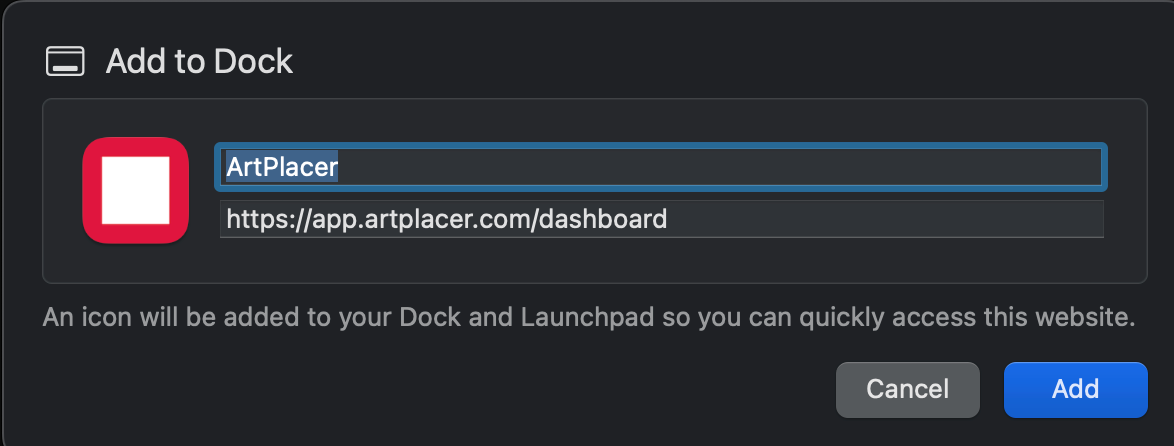
ArtPlacer will now appear in your Dock and open in its own window, no browser tabs, no address bar.

Install ArtPlacer with Chrome
On Android:
- Open Chrome and go to app.artplacer.com.
- Next to the search bar, tap the "three dots" button.
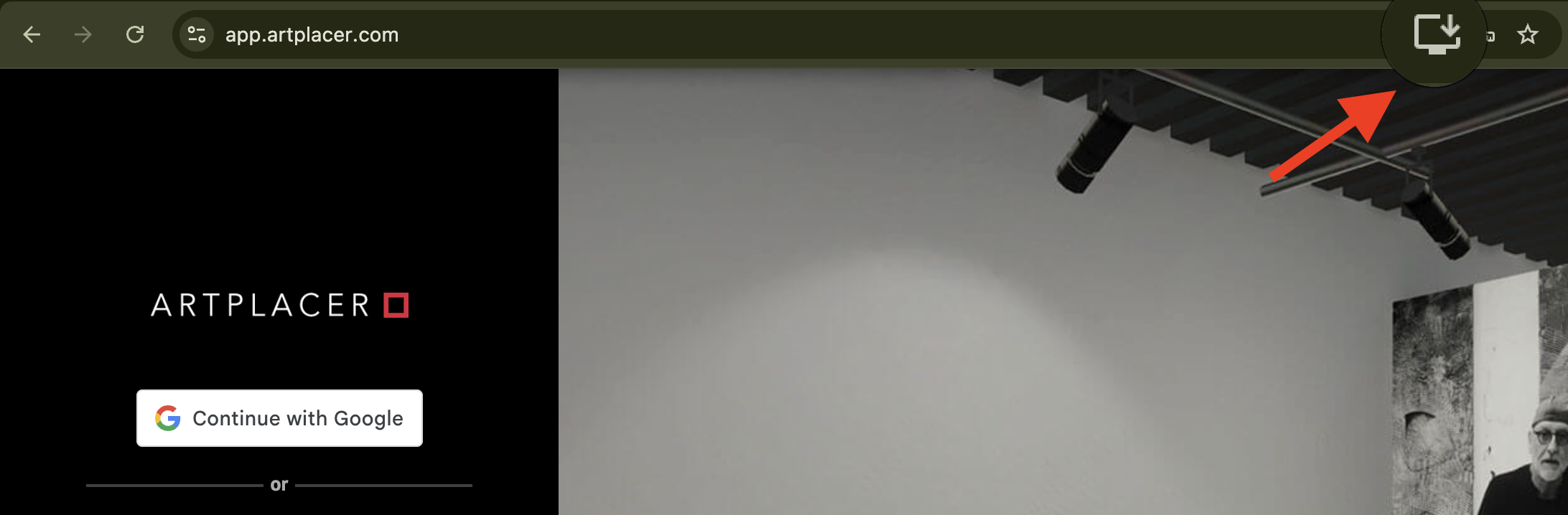
- Look for the INSTALL icon (a small monitor with a downward arrow).
- A window will pop up on your screen with the app details. Tap ADD.
On Windows or Mac:
- Open Chrome and go to app.artplacer.com.
- Look at the right side of the address bar for the INSTALL icon (a small monitor with a downward arrow).
- Click it, then click INSTALL in the pop-up window.
FAQs
- Do I need to download anything from the App Store or Google Play? No. ArtPlacer installs directly from your browser as a Progressive Web App (PWA).
- Will the installed app work offline? You'll still need an internet connection to use ArtPlacer, since your artworks, spaces, and settings live in your account.