With just a couple of clicks, you can share your Personal Spaces across social media, send them directly to clients, or include them in your newsletters to boost your online presence.
Just follow these steps:
- Open the Personal Spaces section and click on a Personal Space.
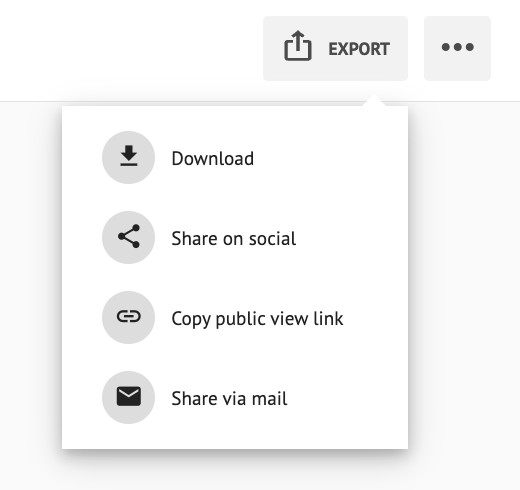
- Click the EXPORT button (top right corner), then choose the option that works best for you:
- Download → Save the design to your device so you can post it whenever and wherever you like.
- Social Media → Instantly share to Instagram, Facebook, or WhatsApp and engage your audience right away.
- Public Link → Copy a shareable link to paste anywhere, from newsletters to direct messages.
- Email → Send your design directly by email with a custom message.