The Personal Spaces section is a repository of the spaces you create using an image you upload.
To access the Personal Spaces section, go to Sidebar > My creations, and then click on Personal Spaces.
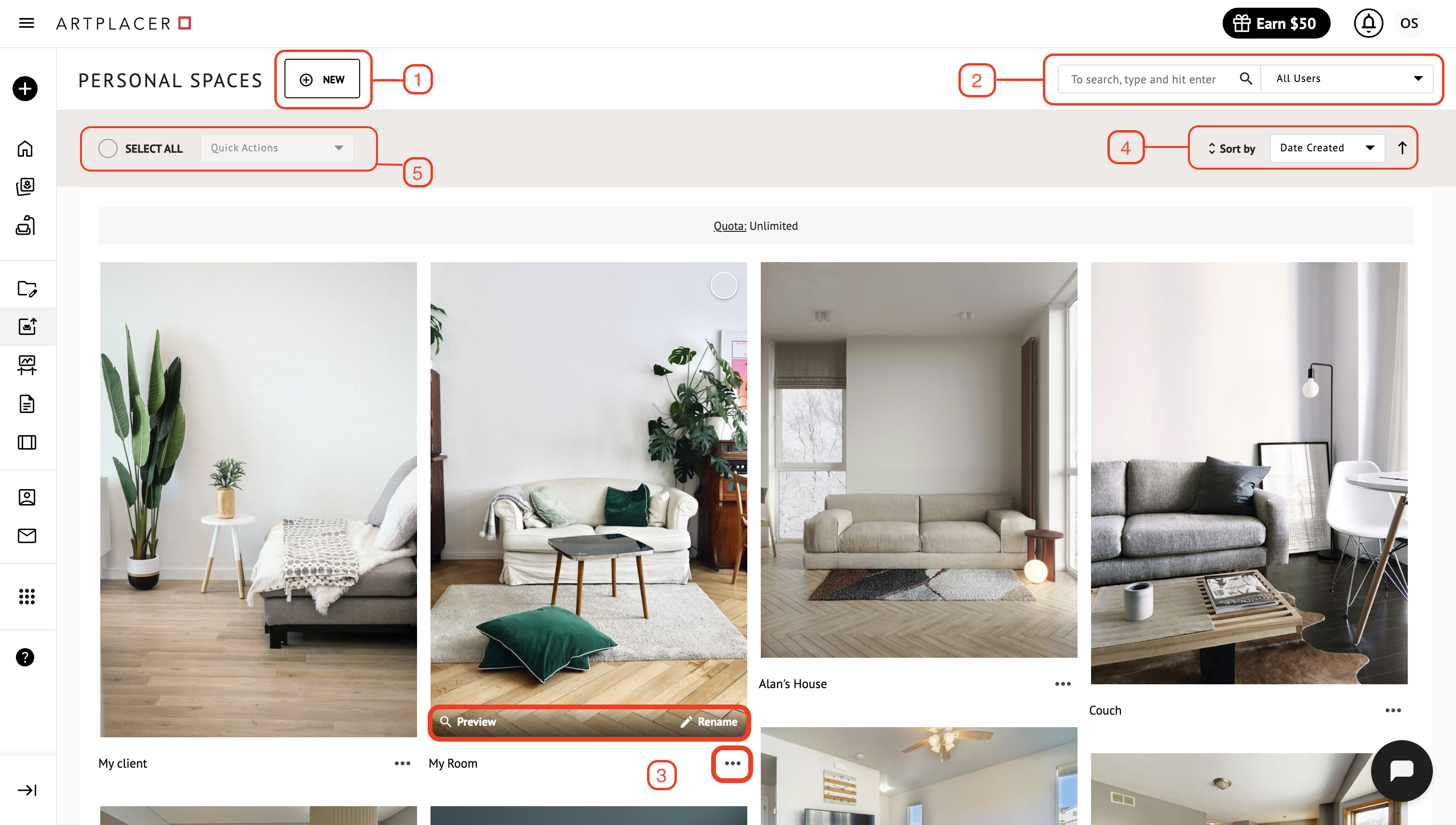
Click NEW to create a Personal Space.
Type keywords in the search bar to find a Personal Space by title. Also, you can filter spaces by the user who created the space.
Click Quick Preview to see more details of the space, Edit to access and edit the space, and Delete to delete the space.
Sort spaces by creation date or alphabetically by space title. Click the arrow to switch between ascending and descending order.
View your Personal Spaces quota. The number of Personal Spaces available depends on the subscription plan you’re on.