Visitors can explore all artworks uploaded by ArtPlacer users through the Discover Website. This includes paintings, posters, prints, drawings, and photographs.
Steps for visitors to Browse Artworks on the Discover Website
Click or tap ARTWORKS in the top-right corner of the page.

Browsing and Searching Artworks
Once in the Discover Website Artworks section, visitors can:
Scroll down to browse all available artworks.
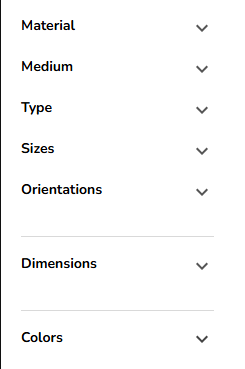
Use Filters on the left panel to refine results by:
Material
Medium
Type of artwork
Orientation
Dimensions
Color
Filters can be combined for more precise results.
Search by Keyword using the search bar.
Sort Results by title or creation date in ascending or descending order.
Artwork Details and Interactions
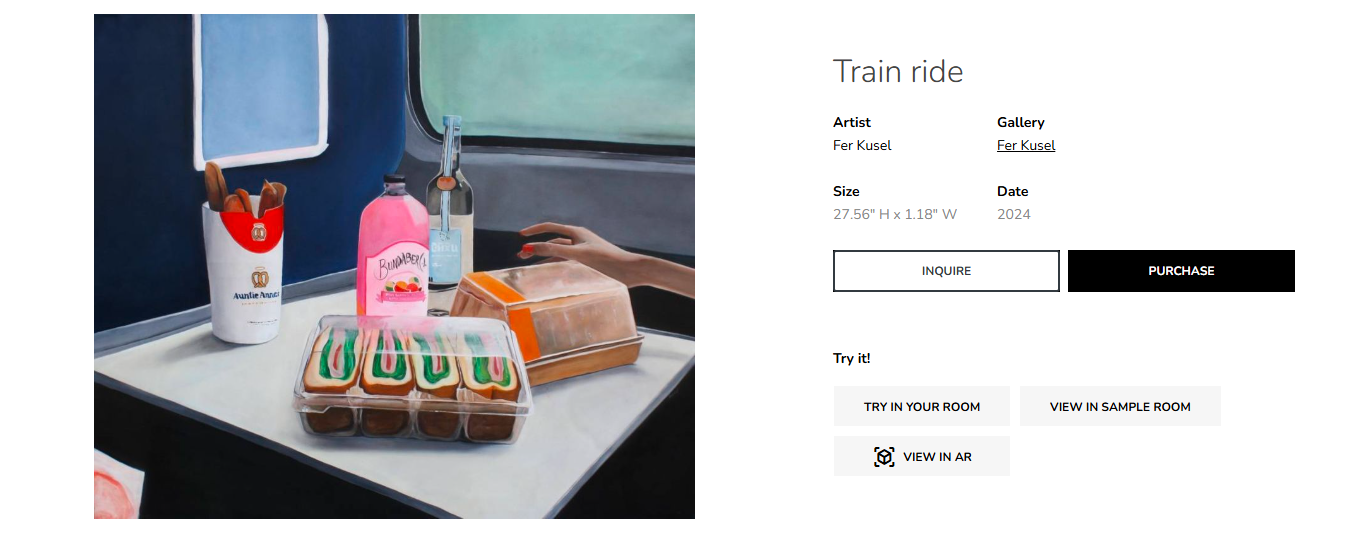
Visitors can click or tap on an Artwork to open its detailed profile.
From there, they can:
Click or tap the Gallery name to open the gallery’s profile.
Click or tap INQUIRE (if available) to contact the gallery about the Artwork.
Click or tap TRY IN YOUR ROOM (if available) to upload a photo and create a Personal Space using the Artwork.
Click or tap TRY IN SAMPLE ROOM (if available) to create a Room Mockup using the Artwork.
Click or tap VIEW IN AR (if available) to preview the Artwork in a room using Augmented Reality on a mobile device.
Tip: Using filters and keywords together helps visitors quickly find artworks that match their interests, while interactive features like AR and Personal Spaces provide a more immersive experience.