Table Of Contents
Room Mockup Video allows users to generate a short video from a previously created design.The video is generated using AI and is designed to create dynamic visual content that can be shared on platforms such as social media.
How Room Mockup Video Works
Room Mockup Video converts a design into a short animated video using an AI model.
You can create a video from designs created in:
- Room Mockups
- Personal Spaces
- Art Show Planner
The animation simulates a slow camera movement toward the artwork, similar to the perspective of someone walking toward it.
Both front-facing and perspective views are supported. If there is more than one Artwork on the wall, the camera movement will focus on the first artwork that was placed in the space.
Videos are designed to add movement to artwork presentations and are ideal for sharing on social media.
How to Generate a Room Mockup Video
You can generate a video from any Room Mockup, Personal Space or Art Show Planner directly from the export options.
To generate a video:
Create or open a Room Mockup or Personal Space.
Click Export in the top-right corner.
Select Generate video.
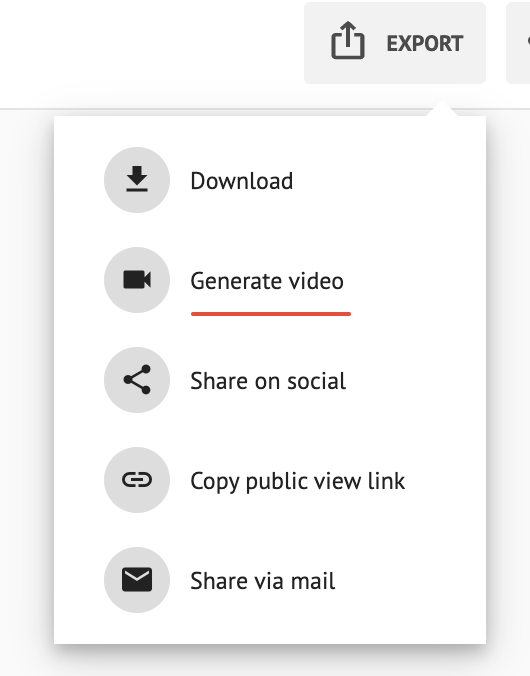
When you click Generate video, the system will use 1 video credit and start generating the video.
The video will appear as “Processing…” while it is being generated. This process may take a few minutes and you can continue working in ArtPlacer while the video is being processed.
Once ready, it will be available for download and it will be saved automatically in the "Generated Videos" folder inside MY DESIGNS.
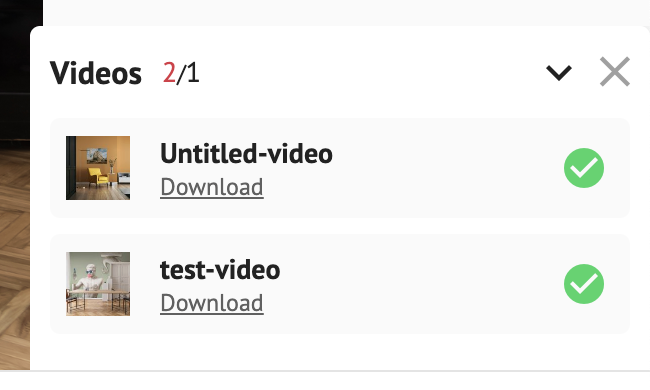
Where to Find Your Videos
Your videos are saved by default in a folder inside MY DESIGNS. To find them:
- Go to Sidebar > My Creations > My Designs.
- Open the "Generated Videos" folder.
If you generated videos before this update, they're in that folder too.
You can delete your videos or move them to other folders. To learn more, check out the My Designs Section article.
Video Credits
Room Mockup Video generation works with a credit system.
1 generated video = 1 credit
Credits are included with paid plans
Credits renew at your next billing cycle renewal date.
Downloading a video does not consume credits.
The number of credits available depends on your subscription plan.
Credits per Plan
- Basic
1 video credit - Standard
1 video credit - Plus
2 video credits - Professional
4 video credits - Growth
8 video credits - Premium
16 video credits
Additional Credits
If you run out of credits before your next renewal, you can purchase additional video generation credits directly from the platform.
Credits can be purchased as a one-time purchase or as a recurring add-on to your subscription. See the full details in our Credits for Room Mockup Videos article.
Video Specifications
Duration: 5 seconds
Resolution: 1080p
Animation: Subtle camera zoom toward the artwork
Generating a video simply requires clicking Generate video.