Artworks in ArtPlacer can include links to third-party sites where buyers can purchase either the piece itself or a non-fungible token (NFT) of the piece.
At the moment, purchases cannot be made directly on ArtPlacer. Instead, visitors can either inquire about your Artwork through one of our interactive features or be redirected to your own sales platform using links you provide.
Table of Contents
- Adding Purchase Links to Your Artworks
- How to Add Purchase Links to Your Artworks
- Displaying Artwork Prices
- Inquiries Through ArtPlacer
Adding Purchase Links to Your Artworks
To drive buyers to your preferred sales platform, you can add links to third-party purchase sites (like your own website, Shopify, or an NFT marketplace). Visitors who click these links are redirected outside of ArtPlacer to complete their purchase.
How to Add Purchase Links to Your Artworks
- Open the Artworks section.
- Hover over the Artwork and click (or tap) the pencil icon.
- Open the LISTING & LINKS tab.
- In the Links section, paste your links in PURCHASE URL and/or NFT URL.
- Click SAVE ARTWORK.
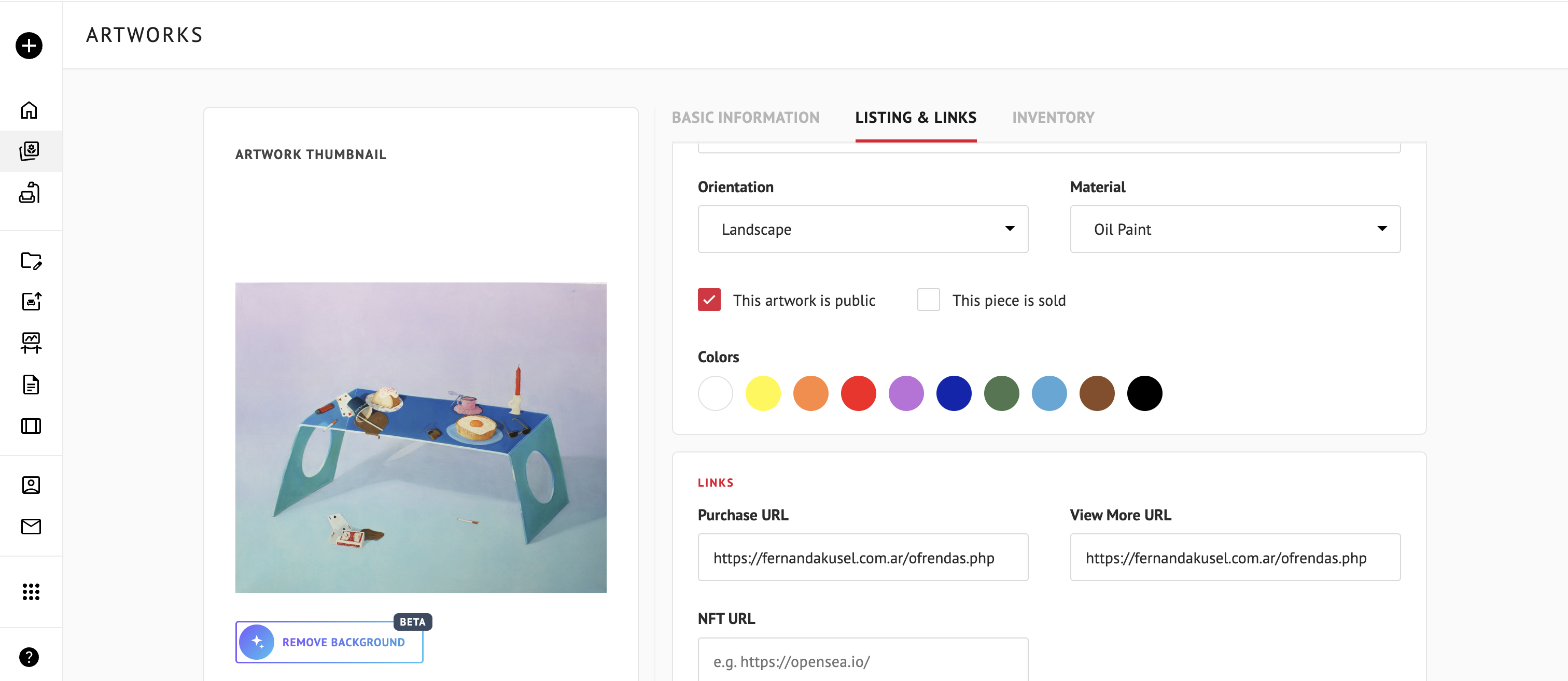
Tip: Want to point visitors to more information, such as the artist’s page or your gallery’s site? Use VIEW MORE URL, in the same section.
Displaying Artwork Prices
You can also add a price to your Artworks, so potential buyers can see the value upfront without leaving ArtPlacer. To add one, open the Artwork, go to the BASIC INFORMATION tab, and enter it in PRICE (USD $).
- Prices are displayed in USD by default.
- To change your Artwork currency:
- On the top header, click your username, then select SETTINGS.
- In Currency, select your preferred option.
- Click SAVE SETTINGS.
Optionally, open an Artwork’s edit page and click Modify above the price field to be redirected to the settings page.
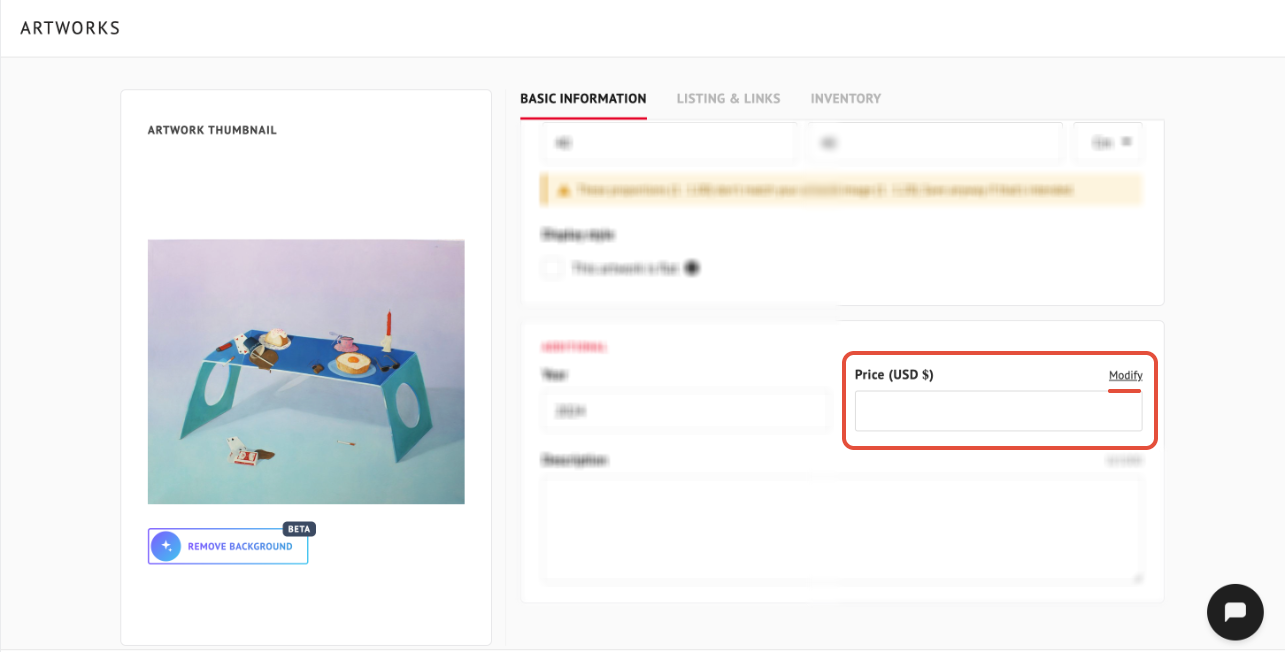
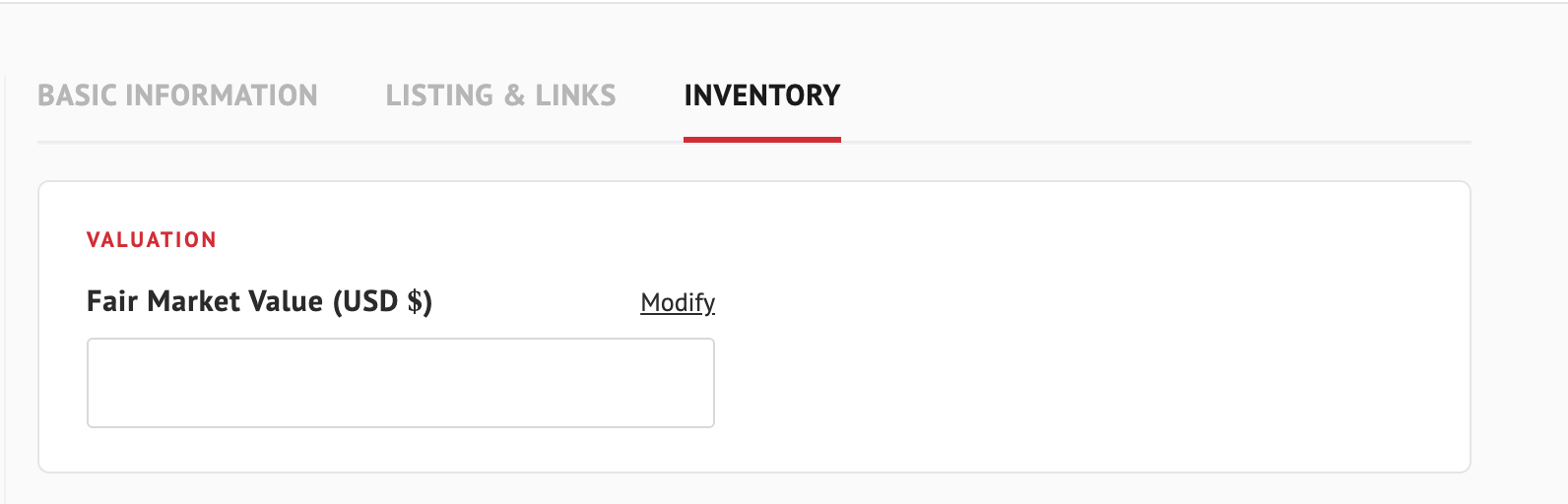
Note: The price is the one your visitors see. If you’re on a business plan, you have the INVENTORY tab where you can find the FAIR MARKET VALUE, which is a separate, private value for your own records. It never appears to visitors.
Inquiries Through ArtPlacer
Please note that visitors can reach you through:
Whenever a visitor contacts you through any of these channels, ArtPlacer automatically captures and stores their details in your Contacts section.