When you upload or edit an Artwork, you can add details that help you stay organized and help art lovers and potential buyers get to know each piece. This article gives you an overview of everything you can include, organized by the three tabs of the Artwork form: BASIC INFORMATION, LISTING & LINKS and INVENTORY.
Note: Fields marked with an asterisk (*) are required: TITLE and HEIGHT, plus an image. Everything else is optional, but the more you add, the richer your Artwork will look in your Virtual Exhibitions and Presentations.
Table of Contents
The Artwork Image
Under ARTWORK THUMBNAIL, click UPLOAD ARTWORK IMAGE to add the picture of your piece.
Once your image is uploaded, you can click Remove background (Beta) to cut out the background with one click. If you don’t like the result, click Undo. Saving replaces your original image, so use Undo before saving if you want to keep it.
This option is available for 2D Artwork and Sculpture, but not for GIF files.
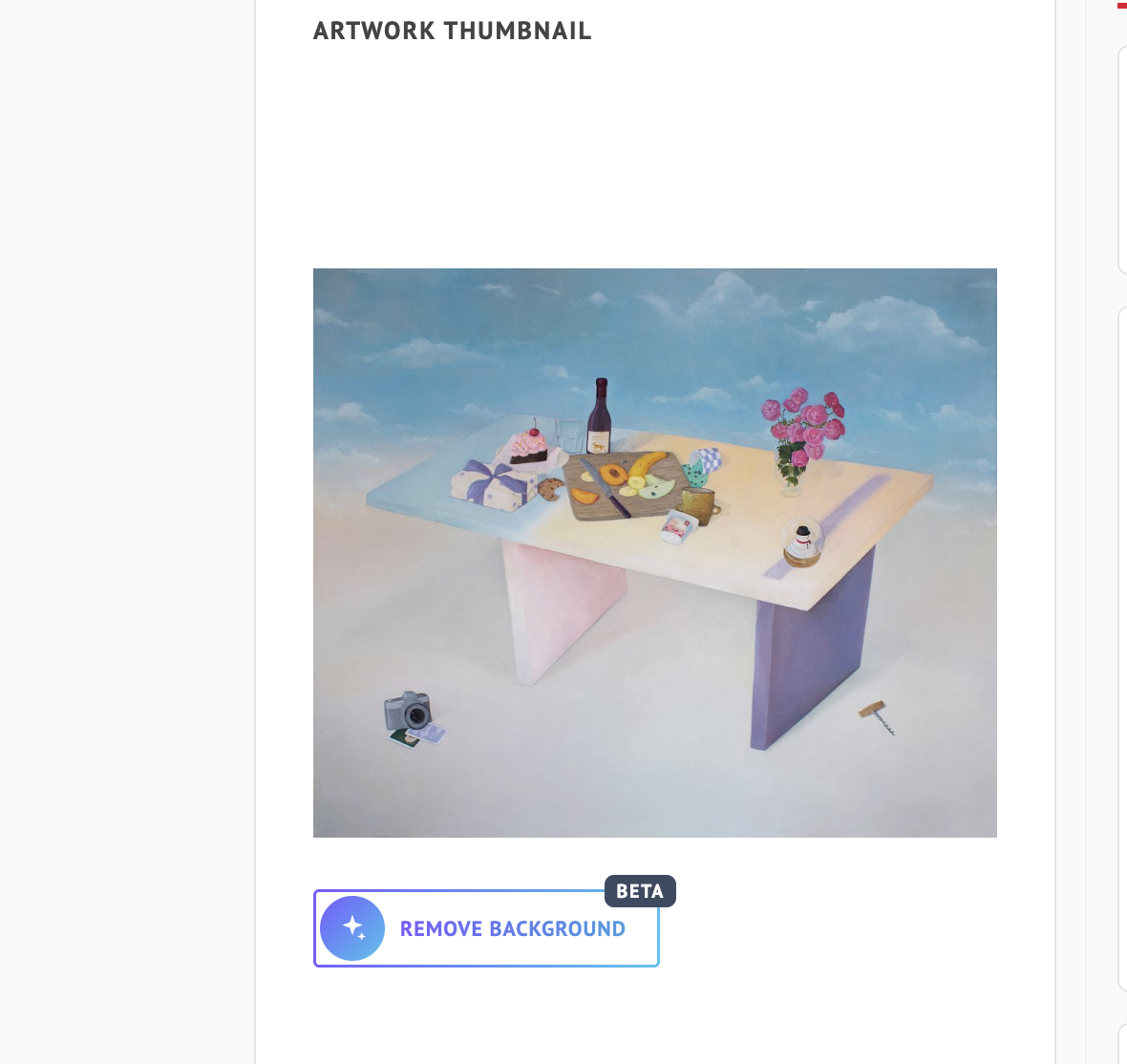
Note: You don’t need to check anything for transparent backgrounds. ArtPlacer detects transparency automatically from your image.
BASIC INFORMATION
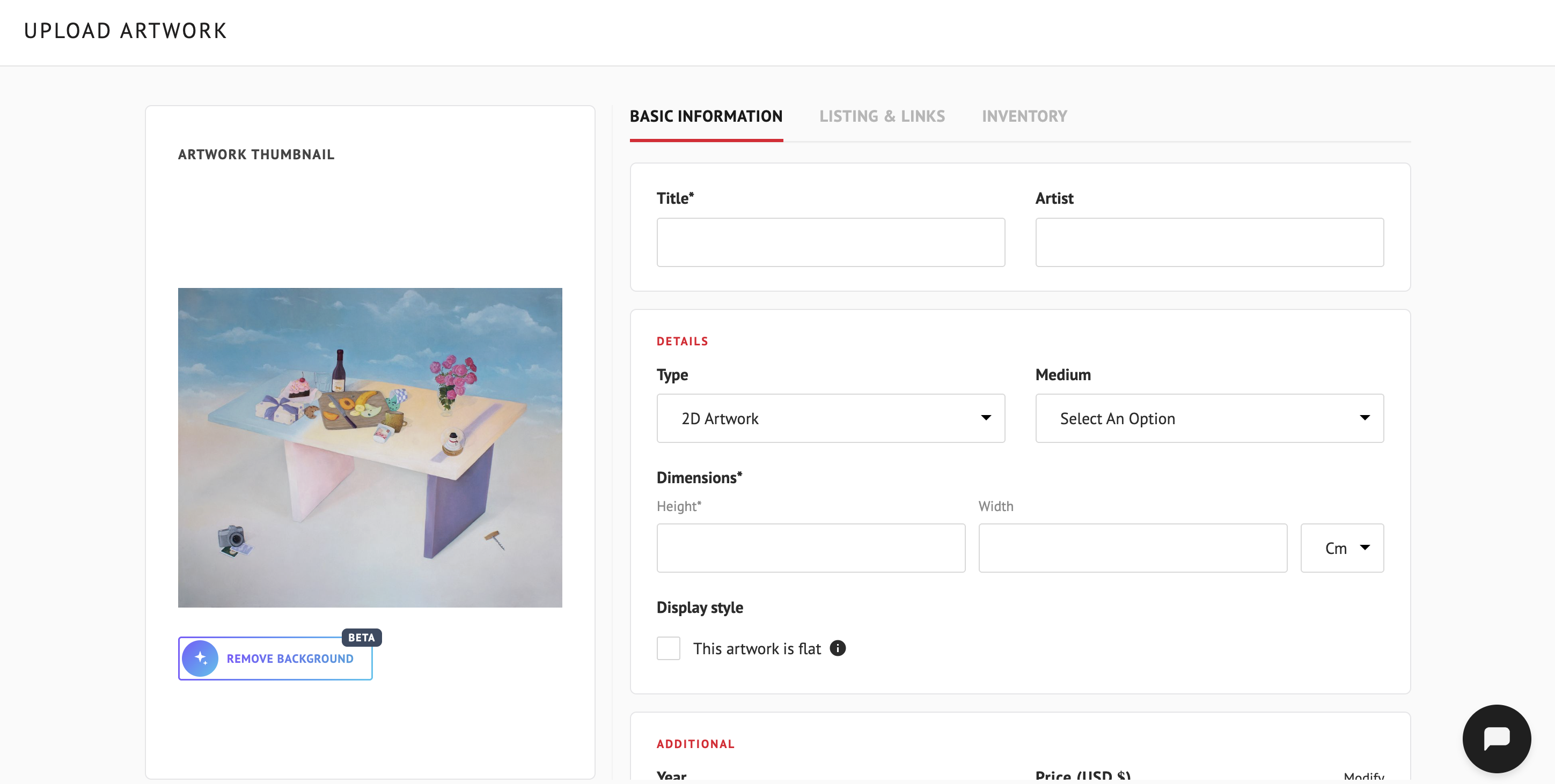
The essentials: what the piece is and how big it is.
- TITLE*: The name of your piece.
- ARTIST: The artist’s name.
- TYPE: The type of Artwork: 2D Artwork, Sculpture, Digital or Video.
- MEDIUM: The medium used to create the piece.
- DIMENSIONS*: Enter the HEIGHT* and WIDTH of your piece, and choose the unit of measurement from the menu next to them. To learn how to change the unit, see How To Change My Artwork Measurement Unit.
- DISPLAY STYLE: A checkbox that reads This artwork is flat.
- YEAR: The year the piece was made.
- PRICE (USD $): The price of your piece.
- DESCRIPTION: A free-text description (up to 1000 characters). Use it to add anything about the piece or the artist that would be relevant for art enthusiasts and potential buyers.
LISTING & LINKS
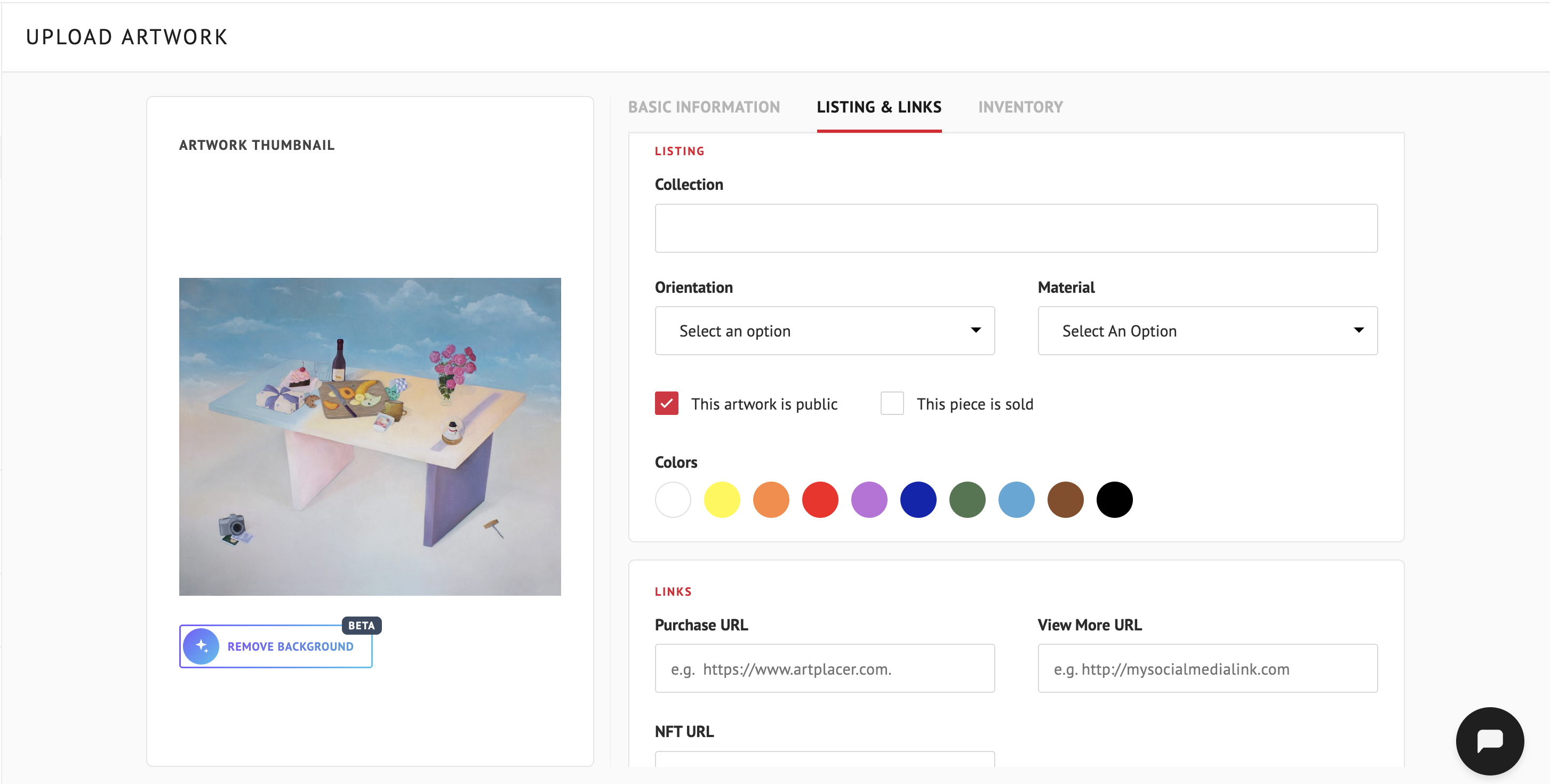
How your Artwork is shown and where people can learn more.
Listing
- COLLECTION: Add the Artwork to one of your Collections. Click the field to open a list of your collections. You can also type a keyword and press Enter to add the Artwork to a new collection.
- ORIENTATION: Landscape (horizontal) or Portrait (vertical).
- MATERIAL: The material your Artwork is made of.
- This artwork is public: Check it to make your Artwork visible to the public (for example, in your Discover Profile and Virtual Exhibitions), or uncheck it to keep it private. Learn more in How To Change an Artwork’s Privacy.
- This piece is sold.
- COLORS: Select the primary colors of the piece. They help organize your Discover Profile and make your pieces easier to find with color filters.
Note: When you create a Discover Profile, other users can see your public Artworks on our Discover Website and AR Mobile App. If you don’t have a Discover Profile activated and set to public, all your Artworks remain private regardless of this setting.
Links
- PURCHASE URL: A link to a third-party site where someone can buy the piece.
- VIEW MORE URL: An external page with more information about the Artwork, such as the artist’s page or your gallery’s site.
- NFT URL: A link to the NFT.
- VIDEO URL: A link to a video, such as YouTube.
INVENTORY
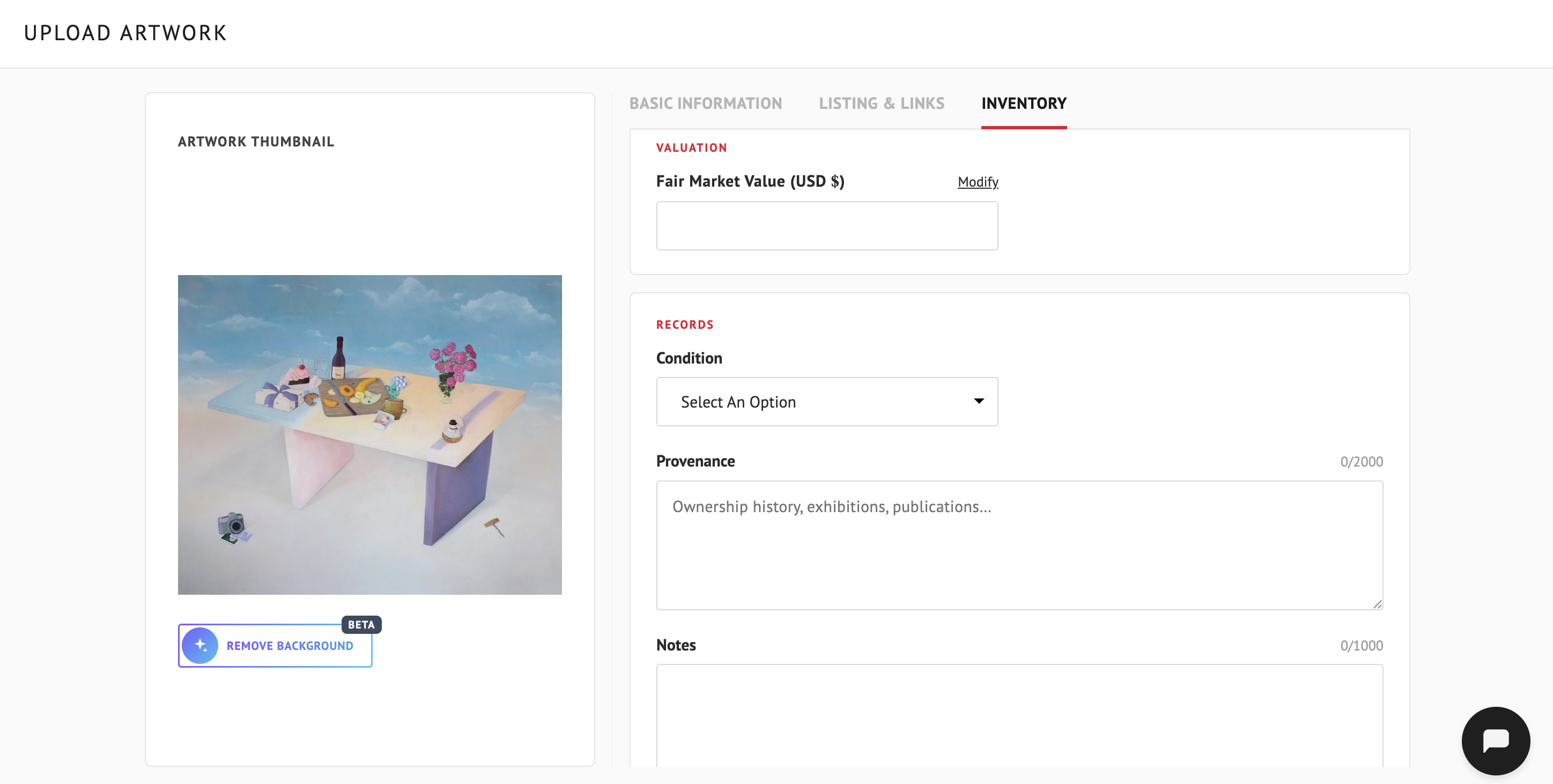
The INVENTORY tab is available depending on your plan. Business accounts have access to it.
It’s a private space for your own records: none of this information appears in your CSV, your widget, your Virtual Exhibitions or your Discover Profile.
Valuation
- FAIR MARKET VALUE (USD $).
Records
- CONDITION: Choose an option from the menu.
- PROVENANCE: The history of the piece, such as ownership history, exhibitions and publications (up to 2000 characters).
- NOTES: Internal notes about the piece (up to 1000 characters).
Save Your Artwork
To finish, click SAVE ARTWORK to save your Artwork, or CANCEL to discard all changes.